Starting-platform route
Screen existing joint platforms first, then identify the package, ratio, sensing, brake and interface changes that remain.
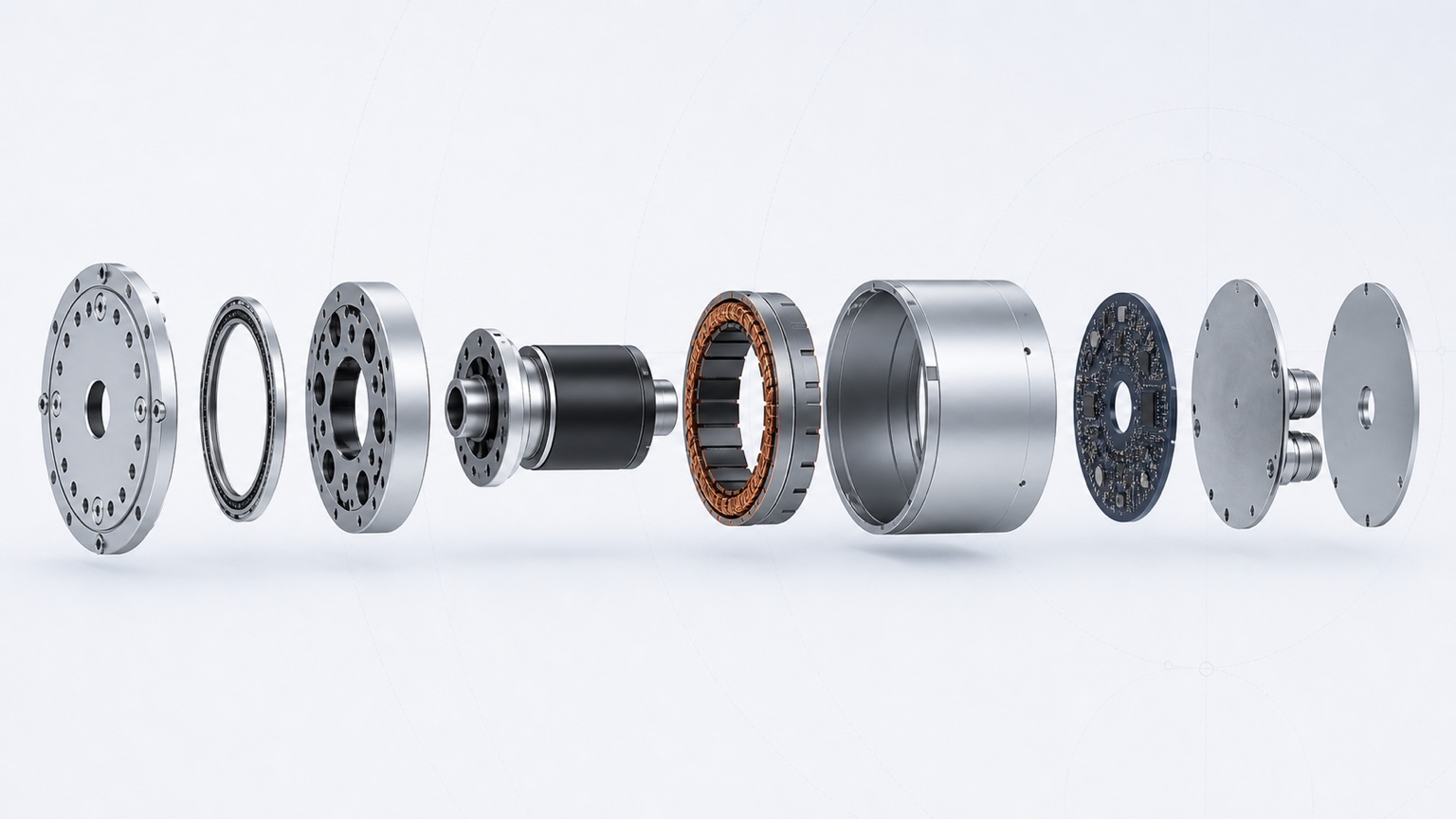
Robot joint customization platform
Define torque, speed, package, reducer, sensing and interfaces; review candidate harmonic/strain-wave, cycloidal and other transmission routes; then carry one requirement set into engineering review, quotation and project supply.
Conceptual engineering illustration. Not a product drawing and not to scale.
*Typical after requirements are frozen and commercial terms are confirmed. Final timing depends on interfaces, materials, validation scope, quantity and project review.
Engineering and supply scope
Keep torque, speed, package, transmission, sensing, interfaces, prototype quantity and documentation requests in one project context.
Screen existing joint platforms first, then identify the package, ratio, sensing, brake and interface changes that remain.
When no indexed platform is appropriate, engineering can review a project-specific harmonic/strain-wave or cycloidal joint route. Final architecture and design scope are confirmed after requirement review.
Carry prototype quantity, expected volume, delivery target and manufacturing-review context into one engineering request.
Request available specifications, 2D drawings, STEP/STP and interface documents through the controlled release workflow.
Engineering review → requirement freeze → commercial confirmation → project supply. A confirmed quotation provides the project-specific schedule.
Custom joint configuration
Start with torque and speed. Use existing joint platforms as starting points, then add package, transmission, sensing and integration requirements only when your project needs them.
Joint configuration
Refine torque, speed, package, transmission, sensing and integration requirements in one configuration.
Custom joint delivery process
The configurator prepares engineering context; it does not skip feasibility, documentation or commercial review.
Built for robot development programs
Humanoid robots, robotic arms, mobile manipulators, research platforms and OEM programs can all start with the same clear joint requirements.
Engineering data for integration
Available files depend on the selected joint configuration and project scope.
Robot joint customization FAQ
The engineering review can cover harmonic or strain-wave, planetary, cycloidal and direct-drive routes. The route taken forward depends on load, speed, package, shock, precision and integration requirements.
It presents existing starting platforms that may help frame a project-specific joint. A result is a reference for engineering review, not evidence of off-the-shelf availability or final application approval.
Continuous output torque and required output speed are the only required inputs to screen starting platforms. You can also ask an engineer for help before those values are known.
No. Four to six weeks is a typical project delivery target after requirements are frozen and commercial terms are confirmed. Final timing depends on interfaces, materials, validation scope, quantity and project review.
Yes. Your requirement set remains the basis for engineering review, whether you choose an existing reference platform or request a project-specific design route.
Package, transmission, hollow bore, ratio, bearing arrangement, sensing, encoder, brake, electrical, connector, cable exit and mechanical interfaces can be included in the review.
Pricing, prototype quantity and production quantity are confirmed after the technical scope and delivery boundary have been reviewed. They are not assumed from the configurator result.
Published specifications and public technical previews may be available during configuration. Controlled 2D drawings, STEP or project-specific files remain subject to identity, project and release review.
Have a drawing or an incomplete load case?